Phoenix + East Valley bakery delivery. Order by 10 a.m. for next-morning drop-off.

Maricopa Market product page showing product details and add to cart
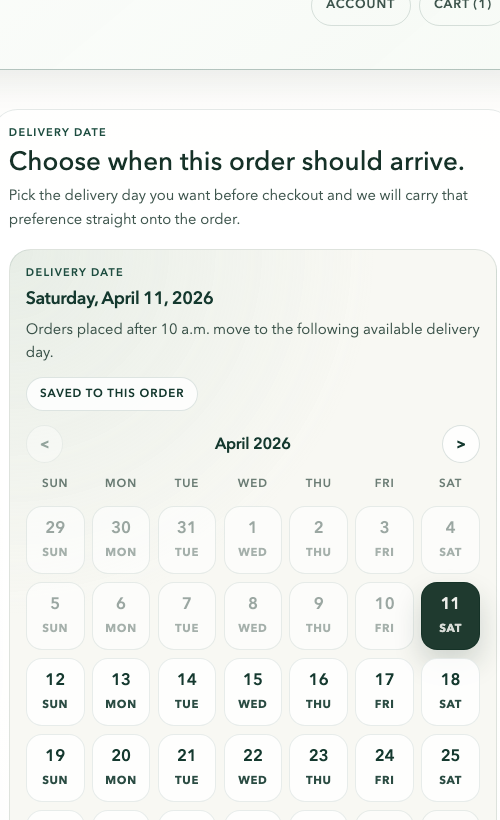
Maricopa Market cart page showing the delivery date selector
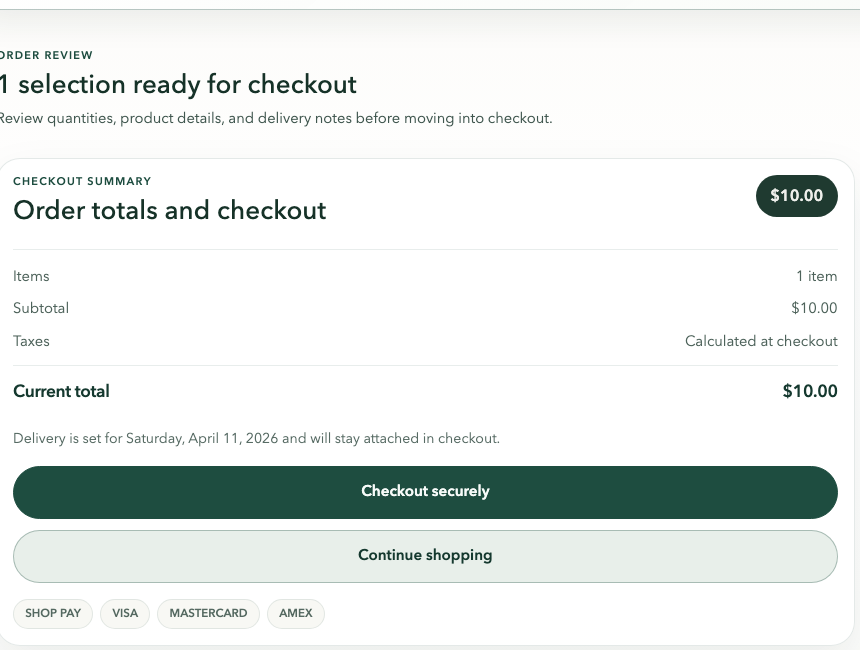
Maricopa Market cart page showing checkout summary and secure checkout button

How It Works

Simple delivery, start to checkout.

  1. 1Pick what you want
  2. 2Choose the delivery day in cart
  3. 3We'll deliver it

Order by 10 a.m. for next-morning drop-off

Choose the delivery date before checkout

Secure checkout opens with the timing attached

Step 1

Choose what you want for the next drop.

Start on the product page, pick what sounds good, and add it to your cart. Delivery timing is already visible before you commit, so the rhythm stays clear from the beginning.

  • Product pages show the 10 a.m. cutoff before checkout.
  • Add to cart and Shop Pay live right next to the product details.
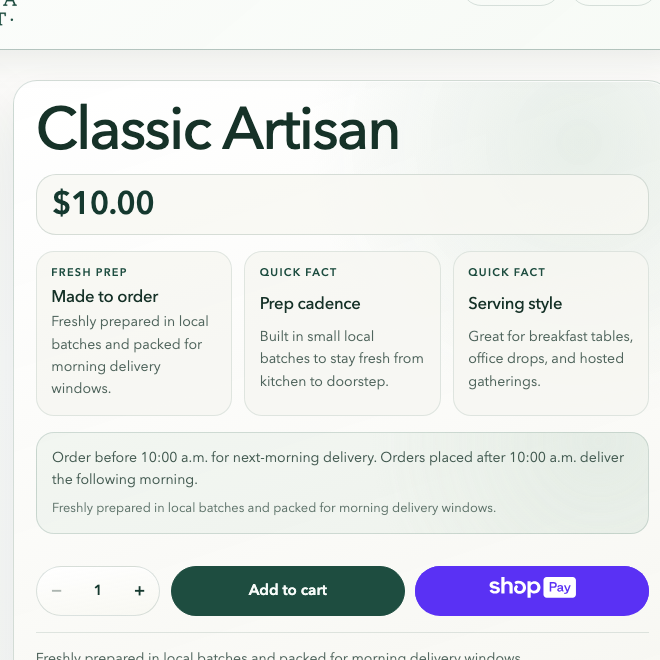
Maricopa Market product page showing the Classic Artisan product and add to cart area

Step 2

Pick the delivery day before you head out.

Before checkout opens, the cart asks for the delivery date you want. That choice is saved to the order, which keeps timing explicit instead of burying it later.

  • Order by 10 a.m. for next-morning drop-off.
  • Need a later day instead? Choose it in the cart before checkout.
Maricopa Market cart page showing delivery date selection for Saturday, April 11, 2026

Step 3

Review totals and move into secure checkout.

Once the date is attached, the cart unlocks secure checkout with the order total and delivery preference ready to carry through. It is a short handoff, not a restart.

  • Checkout opens only after the delivery date is saved.
  • Taxes finalize in checkout, but your timing stays attached to the order.
Maricopa Market cart page showing checkout summary and secure checkout button

A Few Helpful Details

This is supposed to feel straightforward.

We are a local bakery doing local delivery. The goal is pretty simple: you should be able to tell what is available, pick a day, check out, and know what happens next without digging around or second-guessing anything.

Good to know

The timing is clear upfront

You can see the cutoff before you pay. If you order by 10 a.m., next-morning delivery is still on the table. If you miss it, the next available date moves forward automatically.

Good to know

You pick the day before checkout

The cart asks for the delivery date before secure checkout opens, so your order is tied to an actual day right away instead of getting sorted out later.

Good to know

The flow is meant to feel normal

What you see here is the real flow: product page, cart, date selection, then checkout. It is supposed to feel familiar and easy to follow, not like a custom process you have to decode.

Good to know

If plans change, just reach out

If something changes after you order, you can still reach out before delivery and talk to a real person. We would rather fix it clearly than leave you guessing.

Ready To Keep Going?

Send them to the next answer or straight into shopping.

If someone still has questions, the FAQ page is the next stop. If they are ready, the full catalog is one click away.